
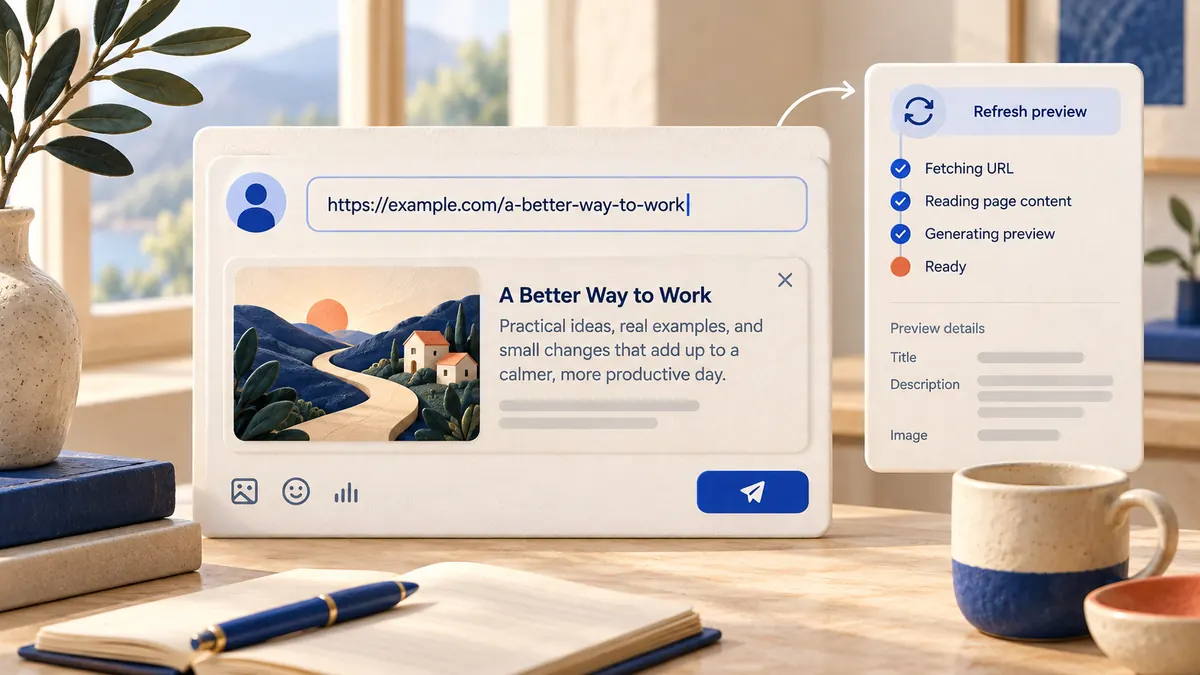
To add a link to a Facebook post, copy the full URL, paste it into the "What's on your mind?" box, and wait a second for the preview card to load. Once the card appears you can delete the pasted URL text if you want a cleaner caption. The preview stays attached. Write your caption, pick your audience, and tap Post.
That works the same way on a computer, in the Facebook app, on a Page, and in most Groups. What changes from place to place is how the link looks, whether a preview shows up, and a few limits Meta has added recently. This guide covers each of those, plus how to fix a preview that shows the wrong image or headline.
One quick note before the steps: Facebook doesn't let you turn a word into a clickable hyperlink inside a normal post. The URL itself is the link, and the preview card is what most people click.
Where you can add a link on Facebook (cheat sheet)
| Where you're posting | How to add the link | What people see |
|---|---|---|
| Profile post (computer) | Paste the URL into "What's on your mind?" | Clickable URL plus a preview card |
| Profile post (Facebook app) | Paste the URL into the composer | Clickable URL plus a preview card |
| Facebook Page post | Switch to the Page, then paste the URL in the composer or in Meta Business Suite | Clickable URL plus a preview card |
| Group post | Paste the URL into "Write something..." | Preview card, subject to the group's rules |
| Comment or reply | Paste the URL into the comment box | Clickable URL, often with a small preview |
| Story | Use the Link sticker, if your sticker tray shows one | A tappable sticker |
| Page profile | Add a website to the Page details or an action button | A link on the Page itself, not in a post |
How to add a link to a Facebook post, step by step
On a computer
- Copy the full address of the page you want to share, including https://.
- Go to your Feed or profile and click What's on your mind?
- Paste the link. Facebook pulls the page's title, description and image into a preview card under the text box.
- Optional: delete the URL text once the card has loaded. The card stays.
- Write a short caption that tells people why the link is worth opening.
- Check the audience selector, then click Post.
If you want to remove the preview card and keep only the text link, click the small X on the top corner of the card before you post.
In the Facebook app (iPhone and Android)
- In the browser or app you're sharing from, use its share or copy option to copy the link.
- Open Facebook and tap What's on your mind? at the top of your Feed.
- Long-press in the text box and tap Paste.
- Wait for the preview card, then trim the URL text if you like.
- Add your caption and tap Post (on some versions you tap Next first to review post settings).
A shortcut on phones: many apps have a share sheet with a Facebook option. Picking it opens the Facebook composer with the link already attached.
As a Facebook Page
Switch into the Page first (click your profile picture, then your Page's name). Posts you create from the Page on Facebook are always public. If you want more control, such as scheduling or tailoring the post, create it in Meta Business Suite: click Create post, paste the link, and either publish or set a date and time.
How to fix or improve the link preview
The preview card is built from the linked page, not from anything you type on Facebook. In most cases you can't swap the image or headline inside the composer, so the fix happens on the website itself.
What controls the preview
Facebook reads the page's Open Graph tags. The three that matter most:
- og:title for the headline on the card
- og:description for the line of text under it
- og:image for the picture
If you run the site on WordPress, Shopify, Squarespace or similar, an SEO plugin or the page's social settings usually let you set these without touching code.
Use the right image size
Meta's developer guidance recommends images of at least 1200 x 630 pixels, kept close to a 1.91:1 ratio so nothing gets cropped. Images smaller than 600 x 315 show up as a small thumbnail instead of a large card, the hard minimum is 200 x 200, and the file can't be larger than 8 MB.
Force a refresh with the Sharing Debugger
Facebook caches previews. If you changed the image or title and the old version still shows, refresh the cache:
- Open Meta's Sharing Debugger at developers.facebook.com/tools/debug and log in.
- Paste the URL and click Debug.
- Read any warnings, such as a missing og:image or an image that's too small.
- Click Scrape Again until the new title and image appear.
- Go back to Facebook and paste the link into a fresh post.
Posts that already went out with the old card may keep it. Re-scraping fixes future shares.
Sharing links in other places on Facebook
Pages
Beyond posts, a Page can show a link permanently. Add your website in the Page's details, and set up an action button (such as Learn more or Shop now) that sends people to a URL. Pinning a link post to the top of the Page keeps it visible for new visitors.
Groups
Pasting a link into a group post works the same as on your profile. The difference is the rules. Many groups ban promotional links or hold posts with links for admin approval. Read the group's rules first, and lead with context so your post reads as a contribution rather than an ad.
Stories
Stories don't turn pasted text into links. Instead, open the sticker tray while creating a Story and look for a Link sticker. If it's there, add the URL and place the sticker where people can tap it. Availability varies by account and app version, so if you don't see it, share the link in a regular post and point to it from your Story.
Comments
Paste a URL into any comment or reply and it becomes clickable. Some Pages put the link in the first comment and keep the post itself link-free. Meta doesn't publish how this affects distribution, so treat it as something to test on your own audience rather than a rule.
Facebook's link limit test: what changed in late 2025
In December 2025, Meta confirmed a limited test that caps some Facebook Pages and professional-mode profiles at two organic posts with links per month unless they subscribe to Meta Verified. According to reporting at the time, links in comments, affiliate links and links to Meta's own apps (Facebook, Instagram, WhatsApp) were not counted, and publishers weren't included.
If Facebook shows you a notice about a link limit, that's this test. Your options are to post fewer, stronger link posts, move links into comments, or subscribe to Meta Verified. Regular personal profiles weren't part of the reported test.
Schedule your Facebook link posts with ViralFarm
If you share links on a schedule, such as every new blog post or product drop, ViralFarm lets you write the post once, adjust the caption per channel, and queue it for your Facebook Page alongside Instagram, LinkedIn, X, Threads, Pinterest, TikTok and YouTube. You can see everything on a calendar, keep drafts, or hit Publish now. If you'd rather stay inside Meta's tools, here's how to schedule Facebook posts in Meta Business Suite.
ViralFarm can also turn a link into ready-made posts: paste a blog URL and it generates carousel slides or pins from the article, which you can edit before scheduling. The Free plan covers 2 channels and 20 published posts a month with no credit card.
How to get more clicks on your Facebook links
Write the caption around the click
The preview card shows what the page is. Your caption has to say why someone should open it now. One specific line works better than a summary: a number from the article, a question it answers, or who it's for.
Keep the URL readable
A long URL full of tracking codes looks messy, but you can delete it once the preview loads. If you keep the URL visible, a short branded link is fine. Avoid unfamiliar shorteners that hide where the link goes, since people hesitate to click them.
Track what works
Add UTM parameters (for example utm_source=facebook) so your analytics tool shows which posts sent traffic. Compare link posts against each other, not against photo posts, since they behave differently.
Make the first line stand out
Facebook posts don't support bold or italics. If you want a headline that catches the eye, the Facebook font generator converts text into Unicode styles you can paste in. Use it for a few words only, because screen readers can struggle with styled characters.
Frequently asked questions
Why is my Facebook link preview showing the wrong image?
Facebook uses the page's og:image tag and caches it. Set the image you want in the page's social or SEO settings, make it at least 1200 x 630 pixels, then run the URL through the Sharing Debugger and click Scrape Again.
Can I turn text into a clickable link in a Facebook post?
No. Regular Facebook posts don't support hyperlinked words. Paste the full URL, or rely on the preview card and delete the raw URL.
Can I remove the URL and keep the preview?
Yes. Wait until the preview card loads, then delete the URL text from the caption. The card stays attached to the post.
Why can't I post links on Facebook anymore?
If you run a Page or use professional mode, you may be in Meta's link limit test, which caps organic link posts unless you have Meta Verified. Group rules can also block links, and Facebook blocks links to sites that break its Community Standards.
Can I add a link to an Instagram post through Facebook?
Not as a clickable link. Instagram captions don't turn URLs into links, even when a post is shared from Facebook or published through Meta Business Suite. Use your Instagram bio or a Story link sticker instead.
How do I add a link to my Facebook Story?
Create a Story, open the sticker tray and pick the Link sticker if it's offered, then paste your URL. If your account doesn't have it, share the link in a post and mention it in the Story.
Want your link posts planned a week ahead instead of pasted in one at a time? Start free — no credit card required.